BackMarket manually links content to BackMarket IDs. You can report miss-linked product to BackMarket by using your Quality and Sales Merchant Center tools here:
Click "Submit a new request" at the top of the page and under the "Tell us more" section, select "Catalog". Fill out the form and submit the request to BackMarket Quality Team.
If you need to manually link (or re-link) an item on BackMarket, there are two different paths you can go down:
Path 1
If an item was published on BackMarket, but incorrectly linked (eg. linked to the wrong category, wrong condition, etc.) and the correct item linking does currently exist, then you simply need to re-link to the correct item. To do so:
From BackMarket,
- Search the BackMarket website to find the correct listing for the item in question. Once you find the listing you want to link to, you need to find and copy the MapId of that listing for later use in Quipt.
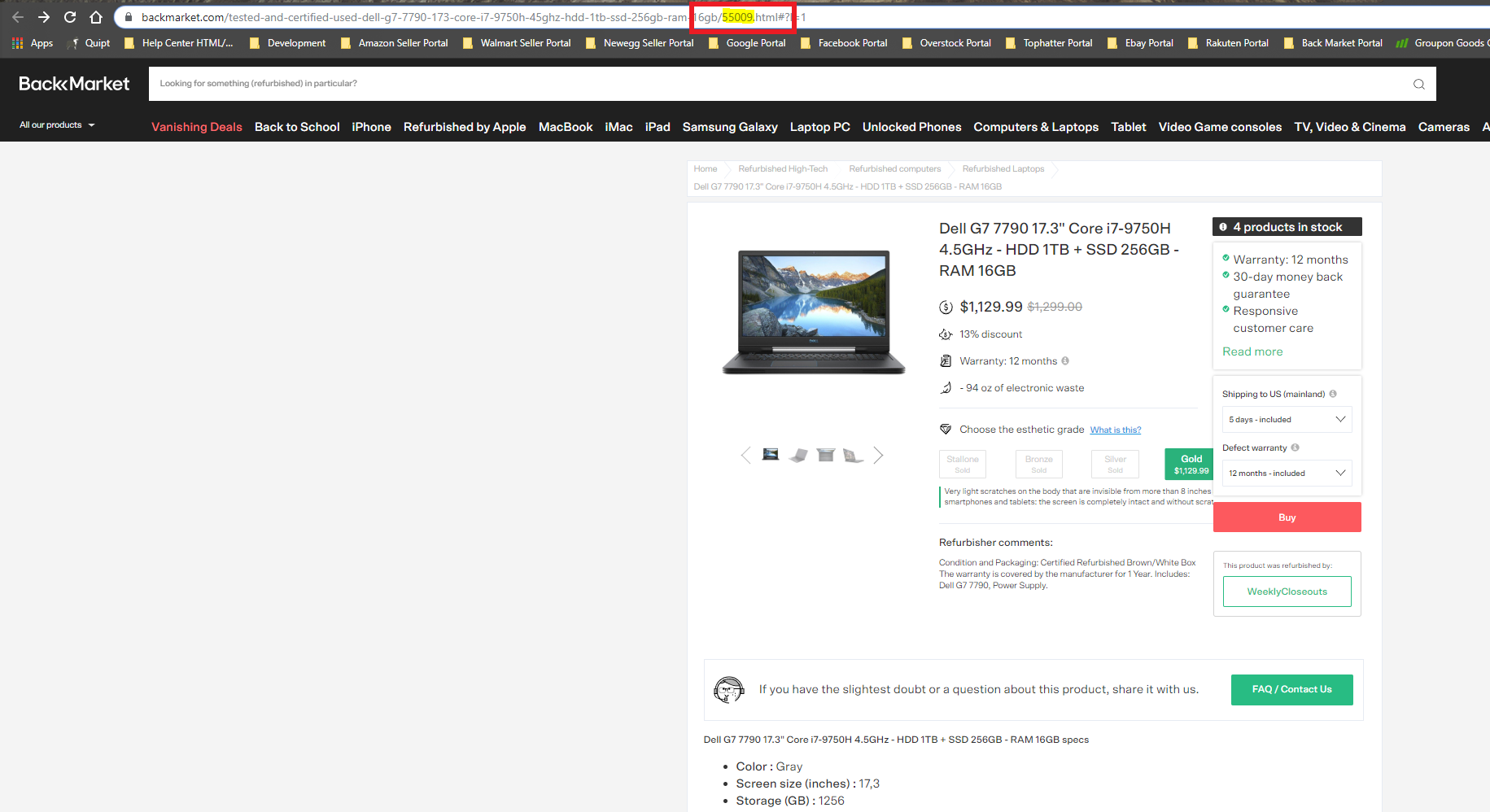
Note: The MapId for BackMarket is the 5-digit number which is found near the end of the URL (see highlighted portion of the photo above).
From Quipt,
- Go to the inventory tab and search for the SKU.
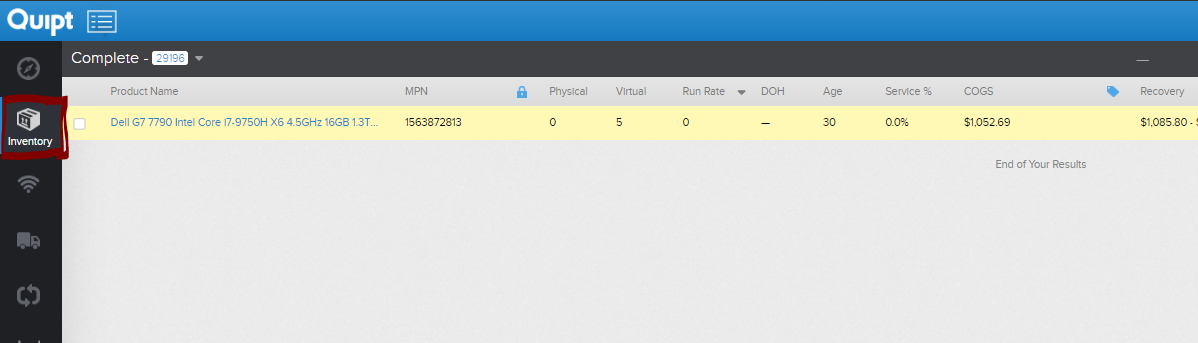
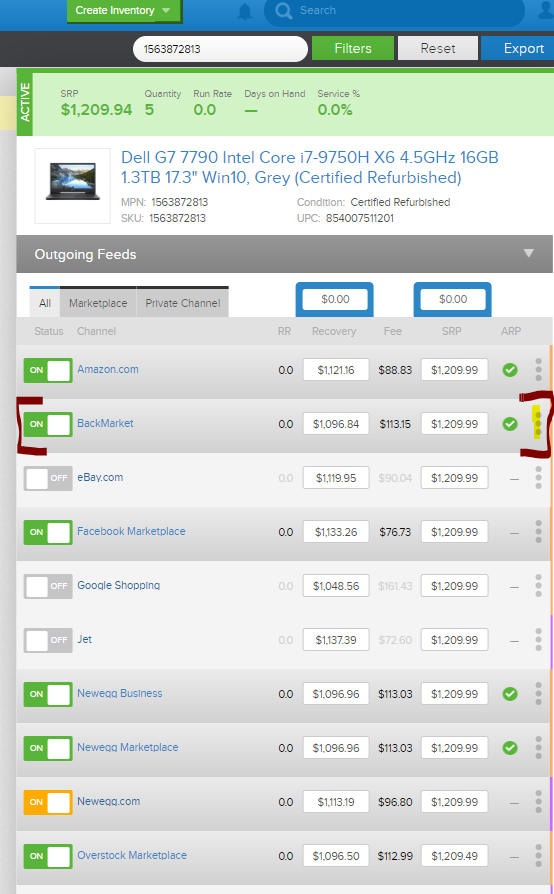
- Open the BackMarket feed modal by clicking the three dots next to the BackMarket line item.
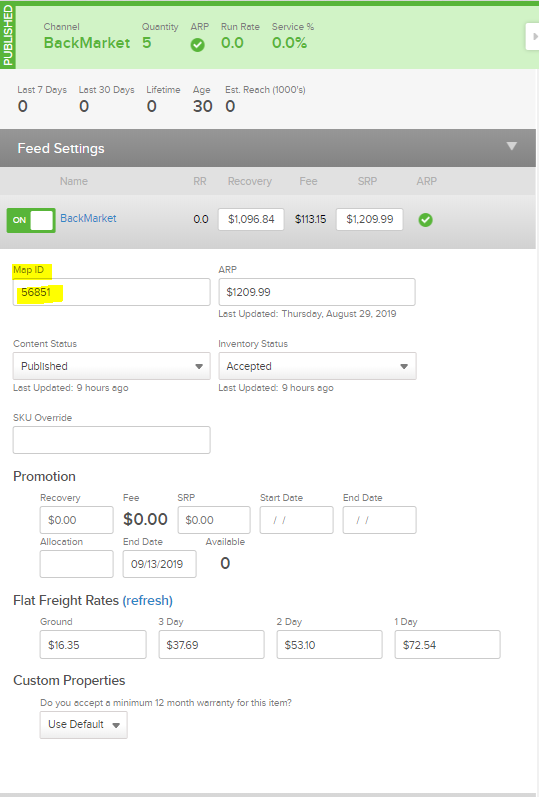
- Clear the current MapId (5 digit number) box, and paste in the new MapId (from the correct item). Hit Save to save all changes.
Path 2
If an item was published on BackMarket, but incorrectly linked (eg. linked to the wrong category, wrong condition, etc.) and the correct item linking does not currently exist, then you need to re-push content so the correct listing can be created.
From the BackMarket portal,
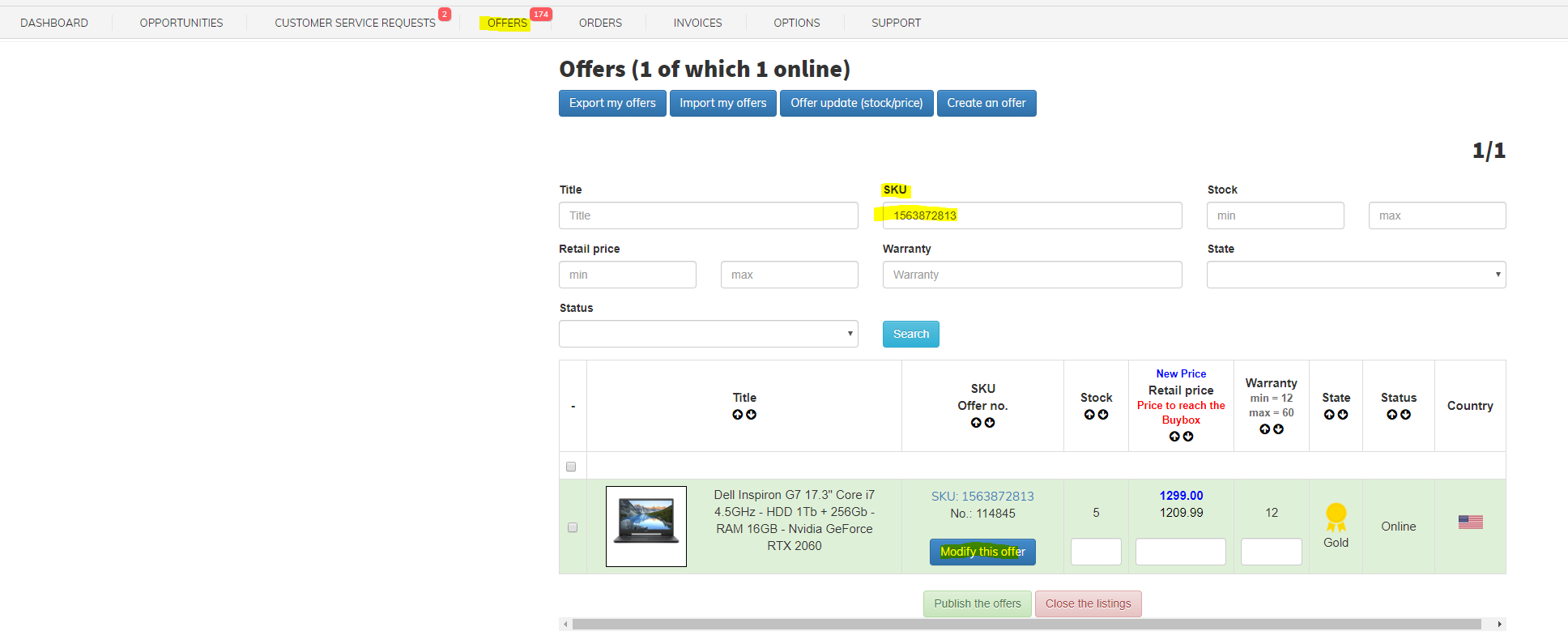
- Go to the Offers tab and search for the SKU in question.
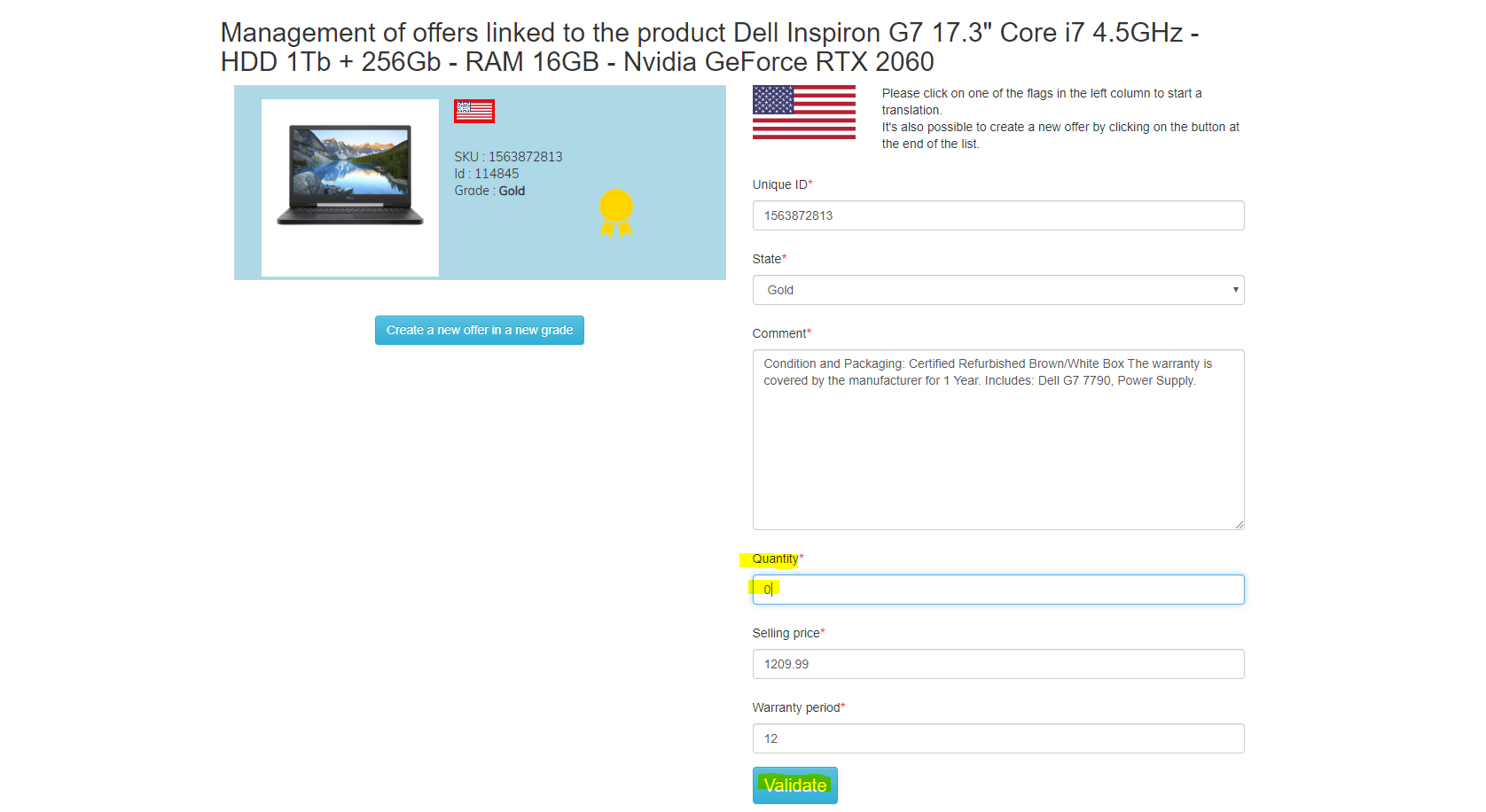
- Once the SKU has been found, click the 'Modify this offer' button to modify the listing. Set the listing to 'offline' by updating the quantity to 0 and hitting 'Validate' to save all changes.
From Quipt,
- Go to the inventory tab and search for the SKU.
- Open the BackMarket feed modal by clicking the three dots next to the BackMarket line item.
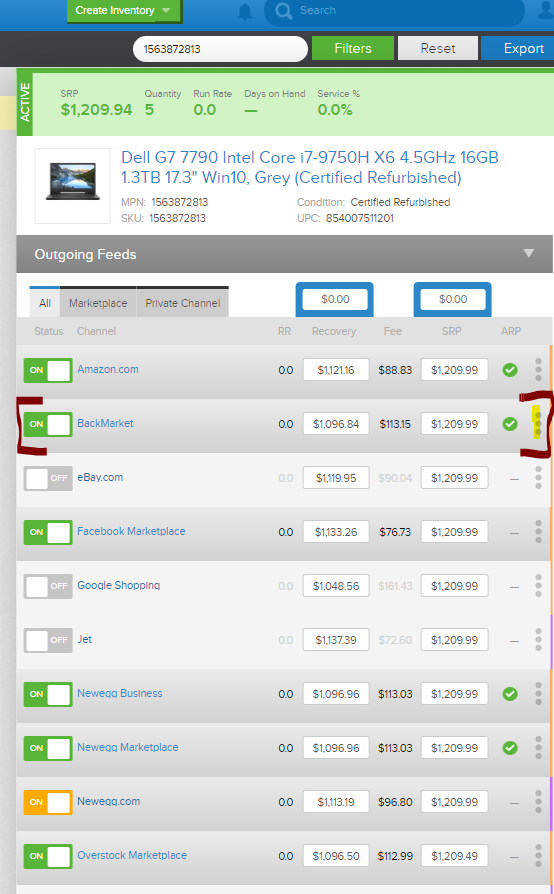
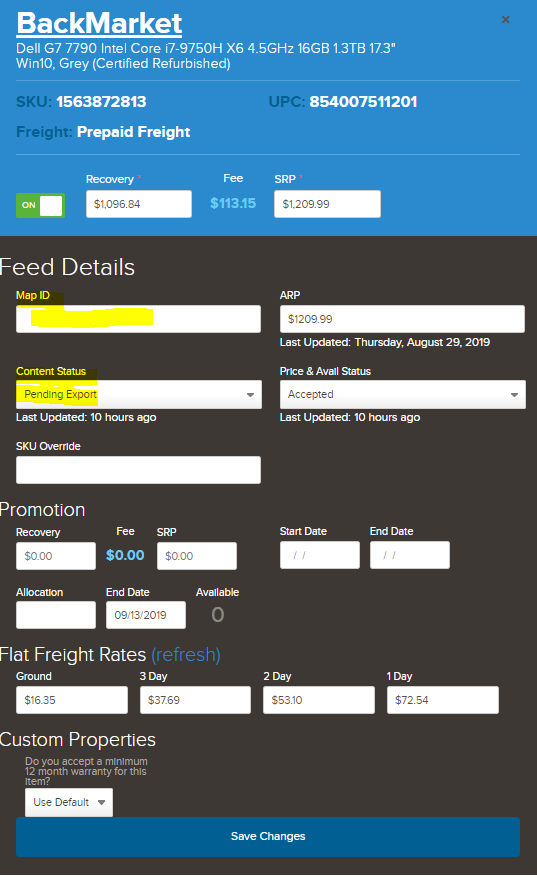
- Clear the MapId (5 digit number) box, and set the Content box to 'Pending Export'. This is going to re-push content to BackMarket. Hit Save to save all changes.
Comments
0 comments
Please sign in to leave a comment.