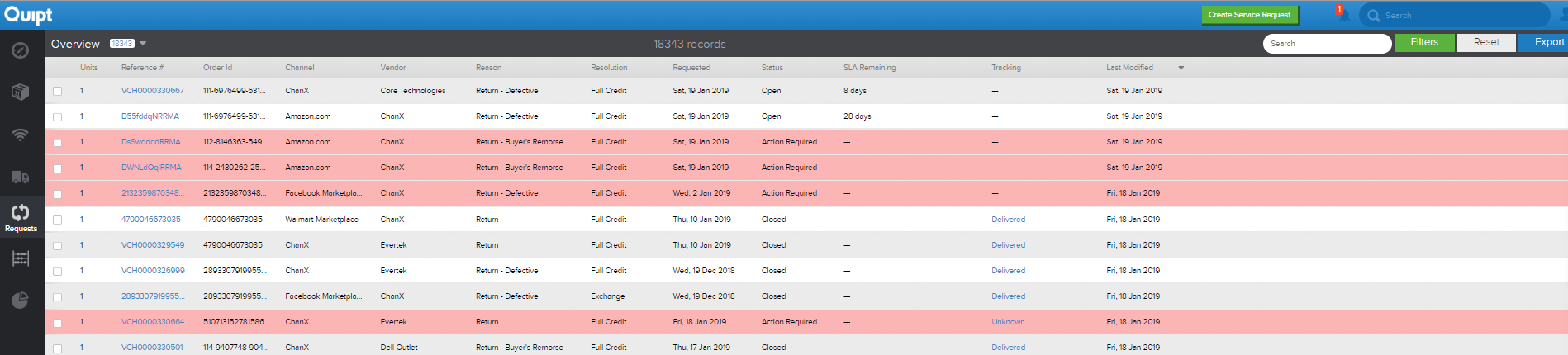
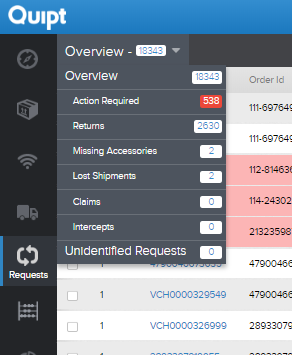
The requests page contains information about all different service requests. Using the upper left-hand side, you can filter based on the type of request: Action Required, Returns, Missing Accessories, Lost Shipments, Claims, Intercepts, and Unidentified Requests. This allows for an easier time trying to navigate the requests.
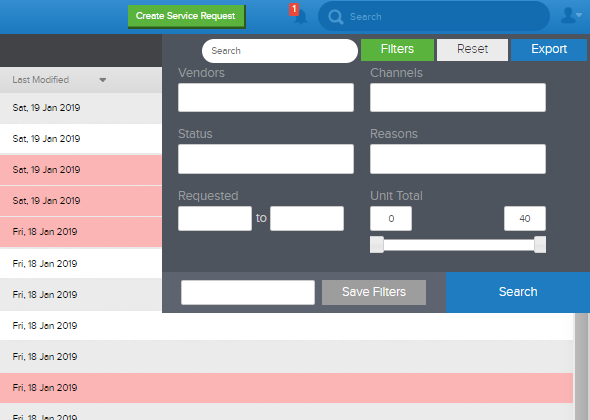
The requests page also gives you detailed information about the requests and the orders they are associated with. Again, channel, vendor, reason, and status are just some of the items you will get information on when looking through the requests page. You can also use the green 'Create Service Request' button to create a new Service Request. For more information on creating a service request, see the 'Creating a Service Request' article.
Note: If a service request is highlighted red and action is required to close/process the request, follow this link for more details on Action Required Service Requests.
Comments
0 comments
Please sign in to leave a comment.