Quipt maps either ‘Title’ or ‘Alternative Title 1’ to different channels, based on a channel's title character length limit. In Quipt, ‘Title' has a hard 100 character limit, and ‘Alt Title’ a 55 character limit.
e.g. We currently map ‘Alternative Title 1’ to eBay since eBay has a 80 character limit for titles, and 'Title' would be too long for this
However, for the channels 'Shopify and 'eBay' you can at anytime change the content title being pushed from Quipt, using the field 'Title Override' in Offer Details
1. To access this, go to:
Inventory > click on any item > click on ‘Physical Inventory’ in the drawer > click ‘Edit Product’

2. Hover over ‘Offer Details’ and click ‘Edit’

3. Scroll to the bottom of ‘Offer Details’ and that’s where you’ll see the 'Title Override' field

4. Enter any title you want within 80 Characters (eBay's limit) and remember to click 'Save'
5. Close the Physical Inventory drawer for the item you're viewing and go to the 'Outgoing Feeds' drawer instead
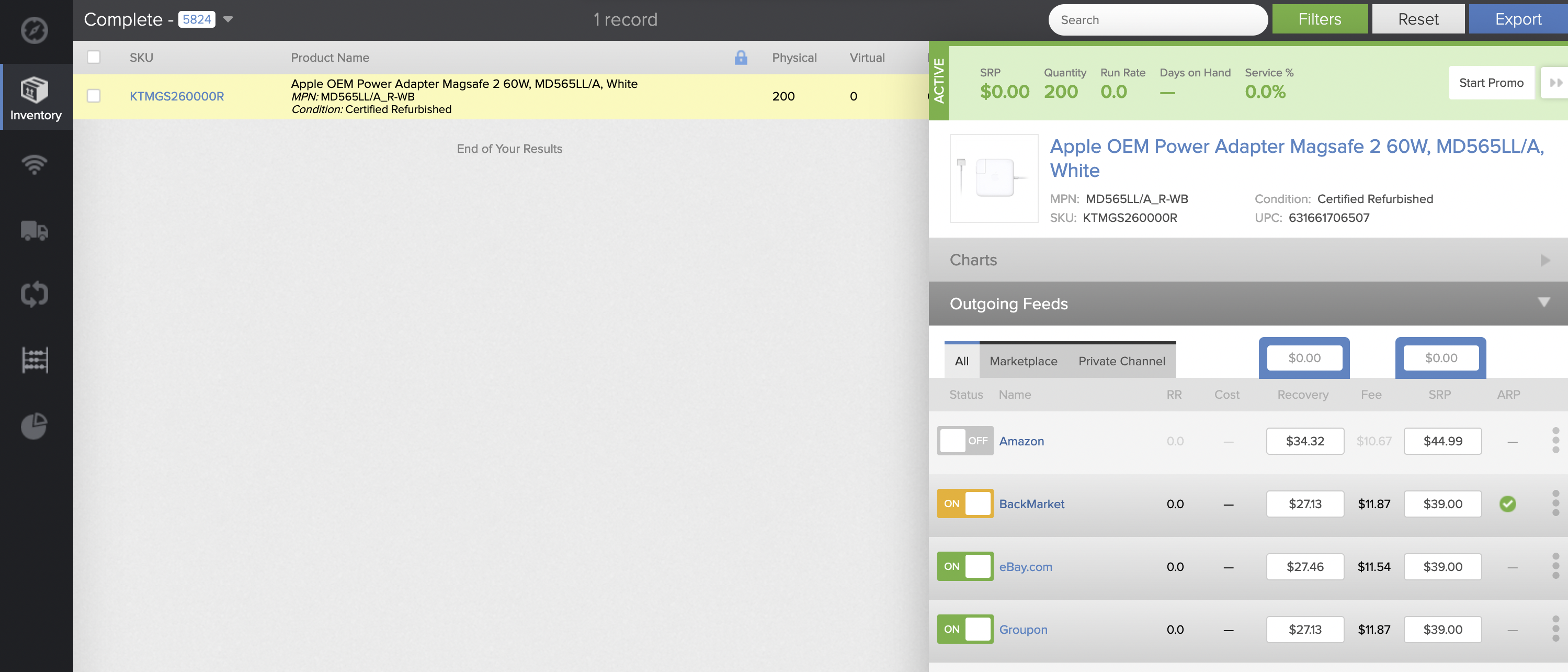
6. For either Shopify or eBay, click the 3-dot 'hamburger' button in the feeds drawer

7. Delete the value from the 'Map ID' field if there is one, and change the 'Content Status' and 'Price & Avail Status' both to pending export
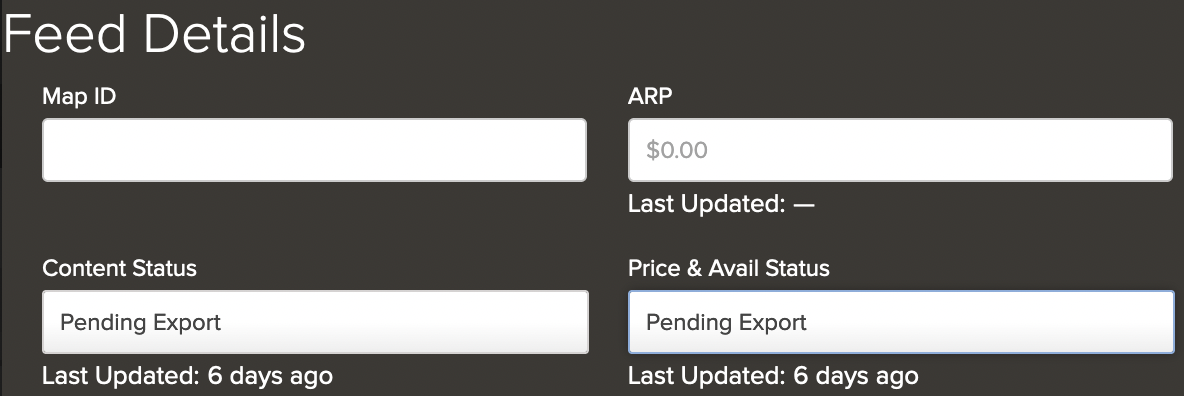
8. Remember to hit 'Save'

9. Within a short while your published item should be updated with a new title from the 'Title Override' field
Comments
0 comments
Please sign in to leave a comment.