Becoming a part of the Facebook Deals Program requires approval from the team at Facebook. Once you are approved, you will need to follow a the work flow outlined in this article to ensure that your inventory is getting sent over to the Facebook Deals team.
To submit your inventory file to Facebook, you will need to download your Facebook inventory file from Quipt. To do so, you will go to the Feeds page in Quipt. Once at the Feeds page, go to the green 'Filter' button and apply a channel filter for Facebook and a quantity filter for +1.
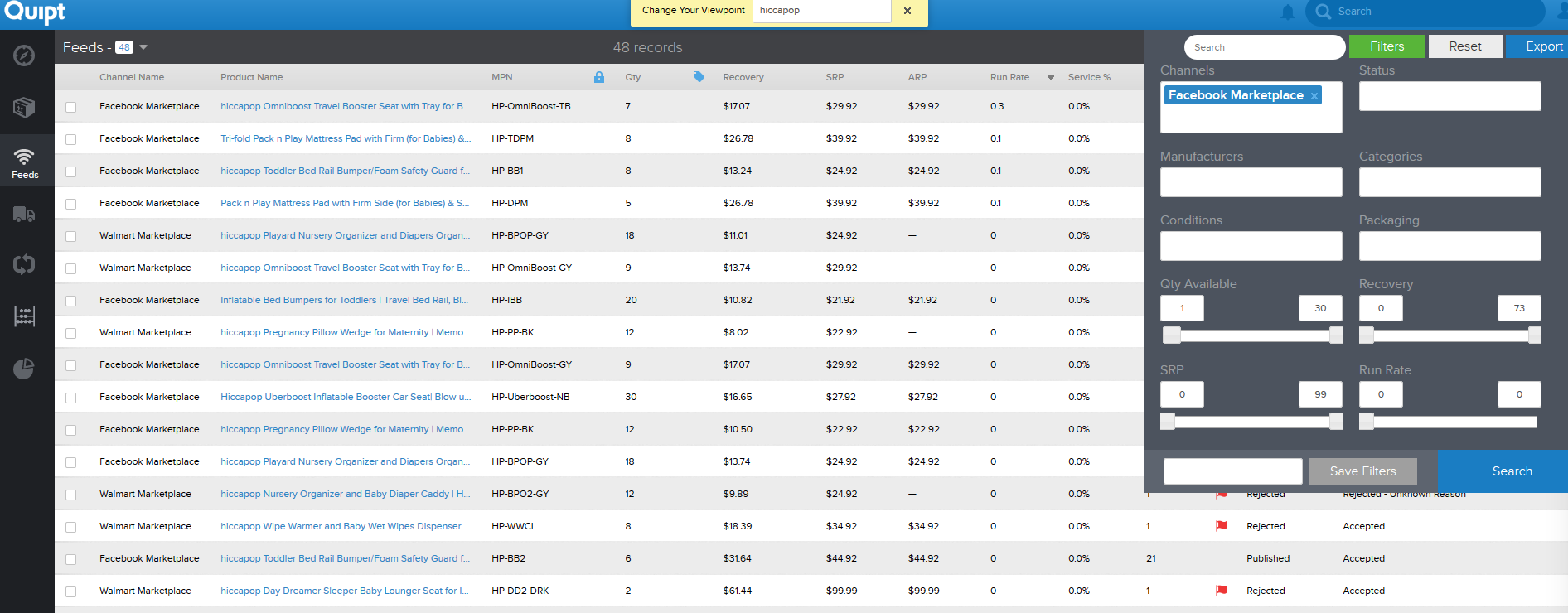
Click Export to export this file. Once the file has downloaded, you will want to remove all columns except "Product Name", "MPN", "MapID", "QTY", and "SRP". Change SRP to "Everyday Deal Price" and add columns "MSRP", "Best Price for Feature" and "Notes". Populate these columns with all products you'd like distributed within the Facebook Deals Page (increased traffic and conversion).
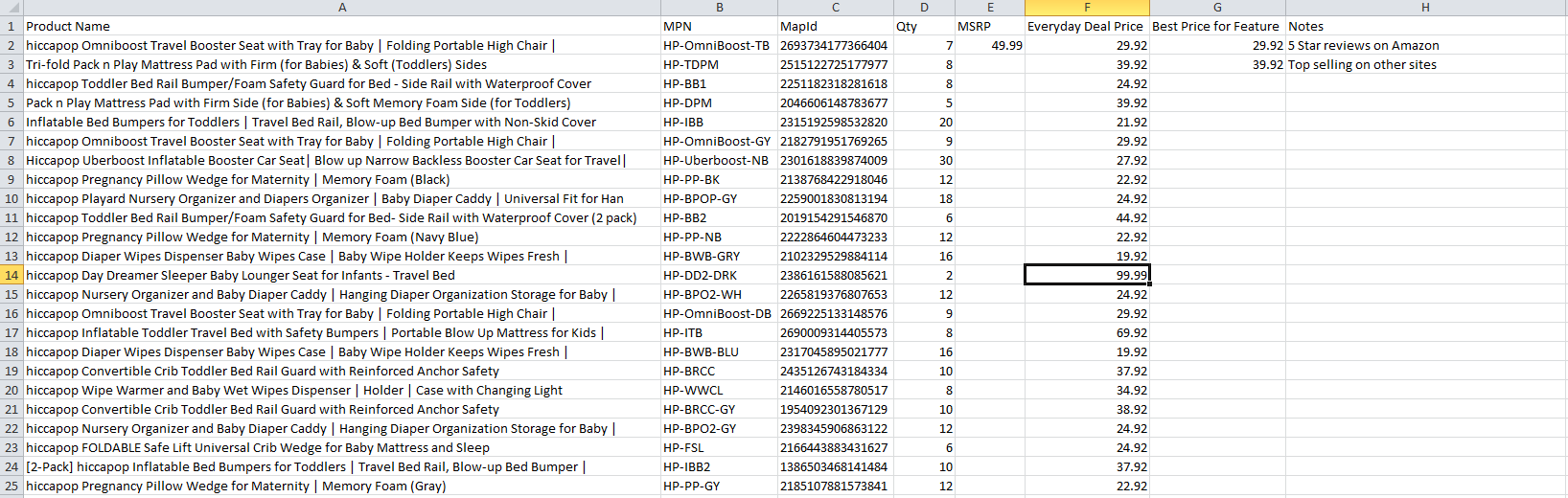
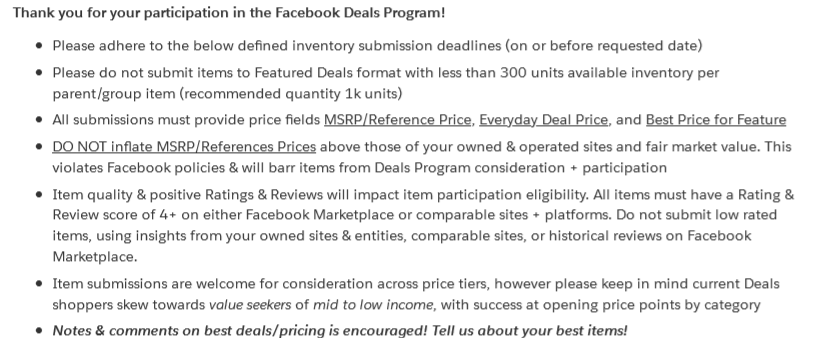
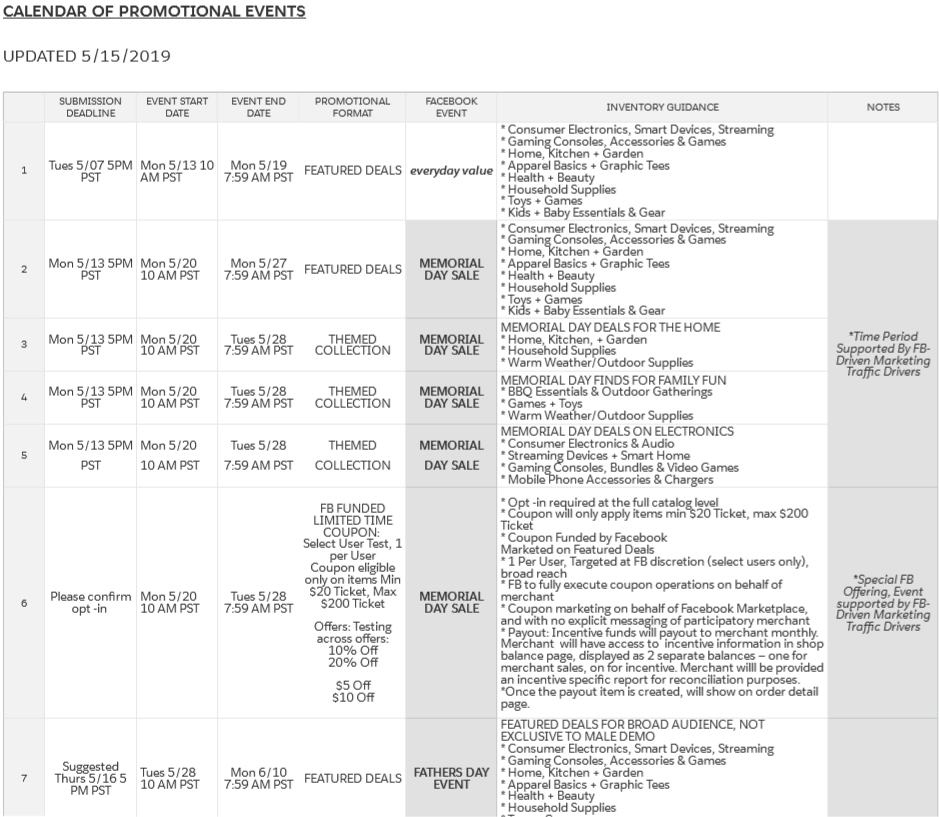
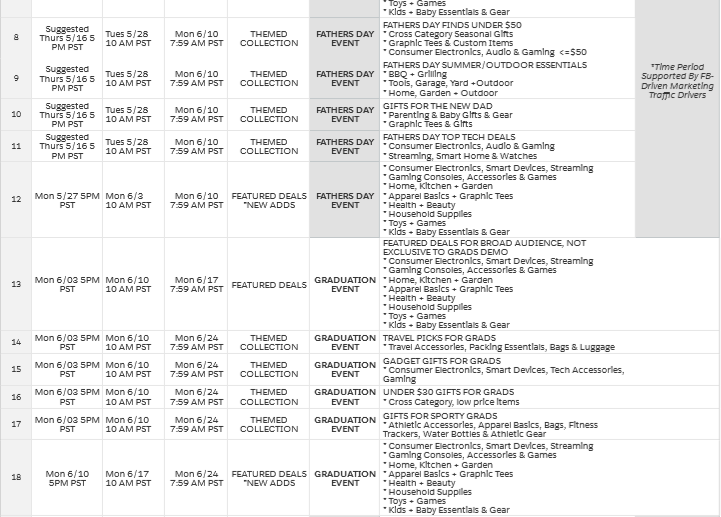
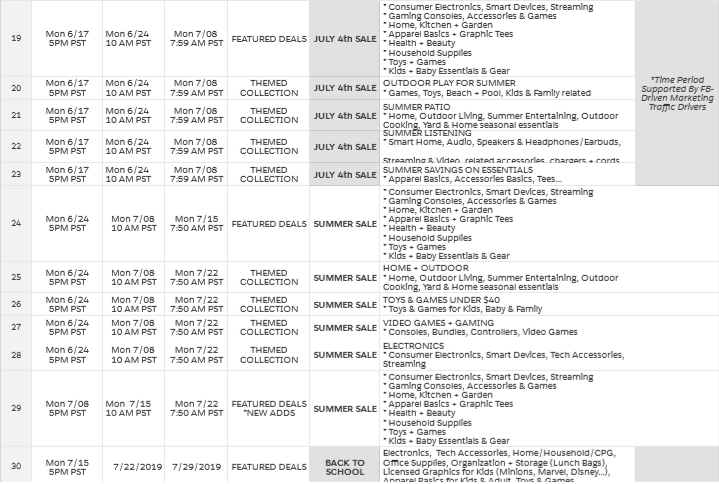
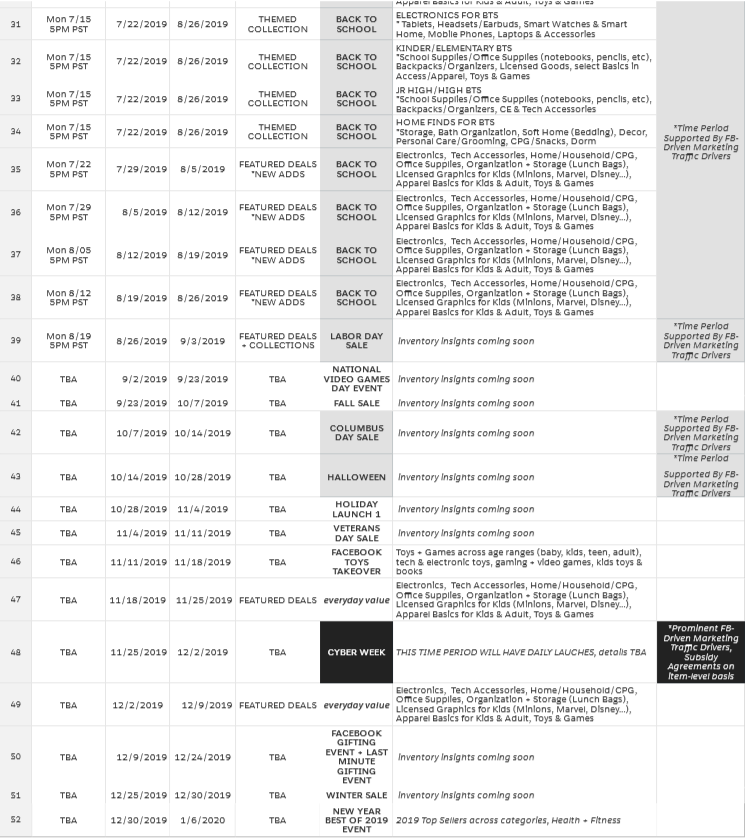
Email this file to Lakie Wakim (lwakim@fb.com) and Lauren Kiebel (lkiebel@fb.com) by the applicable submission deadline. The deadlines vary by event type and format, so make sure to see the included promotions calendar for all deadline details.
Expect to receive a response on what has been selected within 48 hours from Susan Graeser.
FB Deals Program: Promotions Calendar
Comments
0 comments
Please sign in to leave a comment.