Navigate to your inventory tab and see at the top right, you now have an option to export physical inventory rather than Quipt SKUs. 
Physical SKU is the value that directly related to your warehouse.
Quipt SKU is the record/catalog item that your physical SKU is matched to. 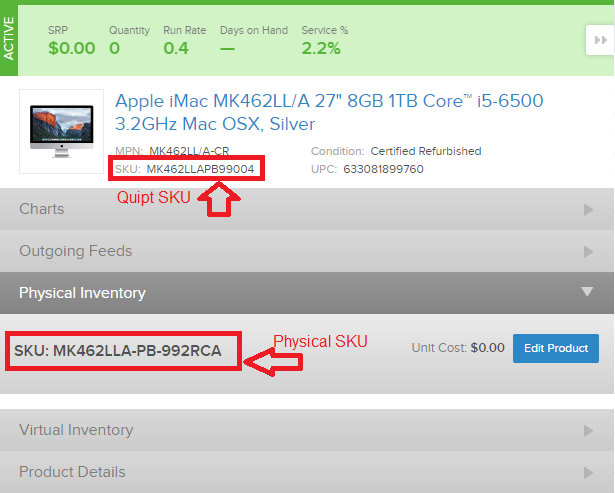
This export will pull in all data on your dashboard to an excel sheet with your physical inventory.
The data includes your products Run Rate and Days On Hand, which is helpful when adjusting your sale price or setting promotions
Example:

This product has 33 units in stock and is selling at a rate of 0.3 (per week). Based on its current selling rate, Quipt calculates the DOH (Days On Hand). With a 116 estimated days on hand, you can make adjustments to the price or run a promotion to try and adjust to your desired sales rate.
Comments
0 comments
Please sign in to leave a comment.