A critical component to your virtual supply drop-ship ecosystem - Managing pricing to ensure your transactions are profitable. While this can be a daunting task for most, understanding and administering the different options and automation available via Quipt provides a frictionless experience.
Commission Management
With 1st party drop-ship, the supplier is delivering a landed cost. Within your partner settings you have the ability to set a base margin of how Quipt will markup the SRP using the cost from the supplier.
To view/manage your partner commissions;
- Access "Partner Settings" in the top right corner of the web app
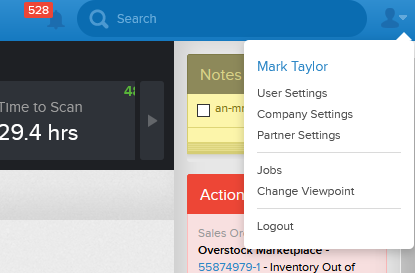
- Select the partner you wish to modify
- Click "Channel Settings" to open the modal
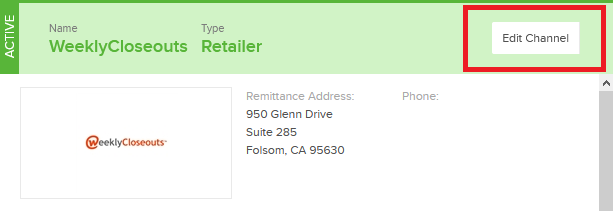
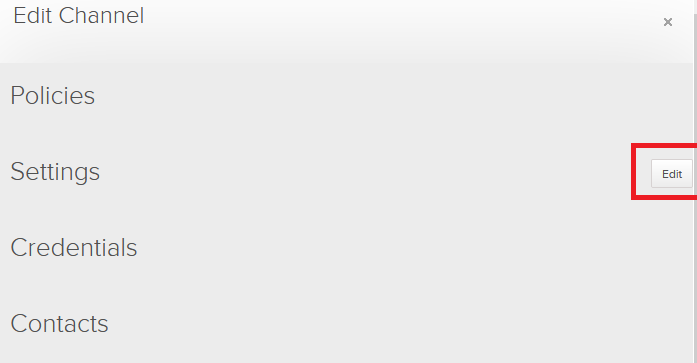
- Click "Edit" in the Settings accordion
- Scroll down to view/edit your category based commission structure with this partner
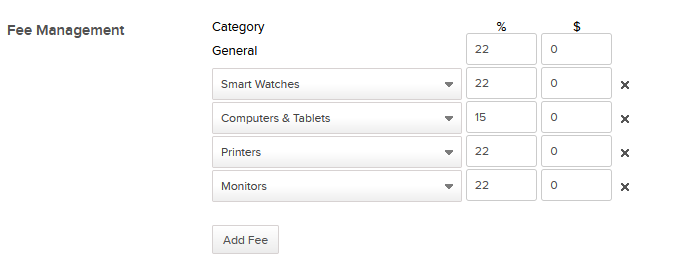
Commissions are managed independently between partners, as well as categories. In example above we see a markup of 15% for Computers and Tablets.
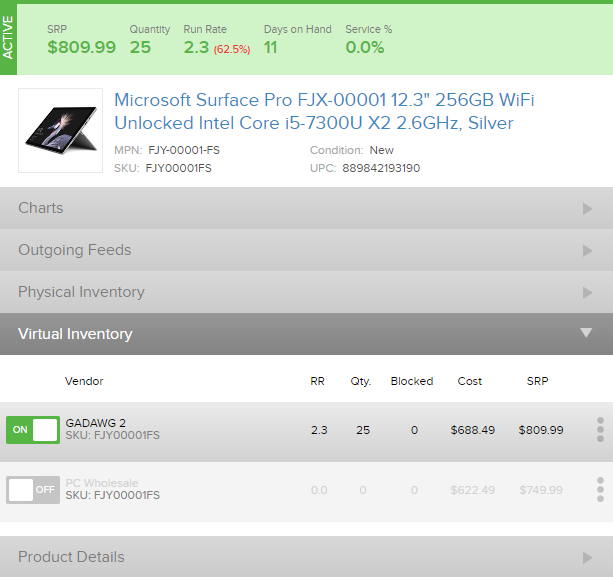
Looking at the virtual feed for this Microsoft Surface below, we see a cost of $688.49, guiding the SRP to $809.99 after 15% markup.
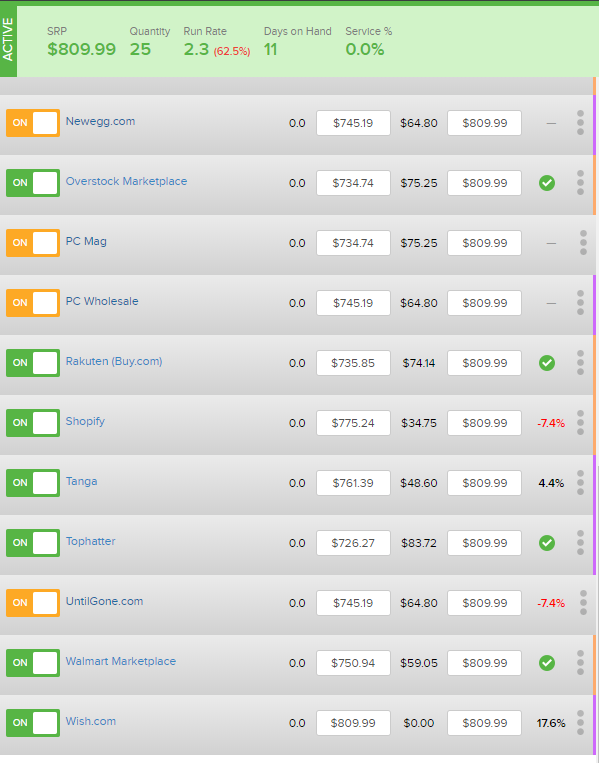
This automatically populates the SRP of $809.99 to all connected sales channels
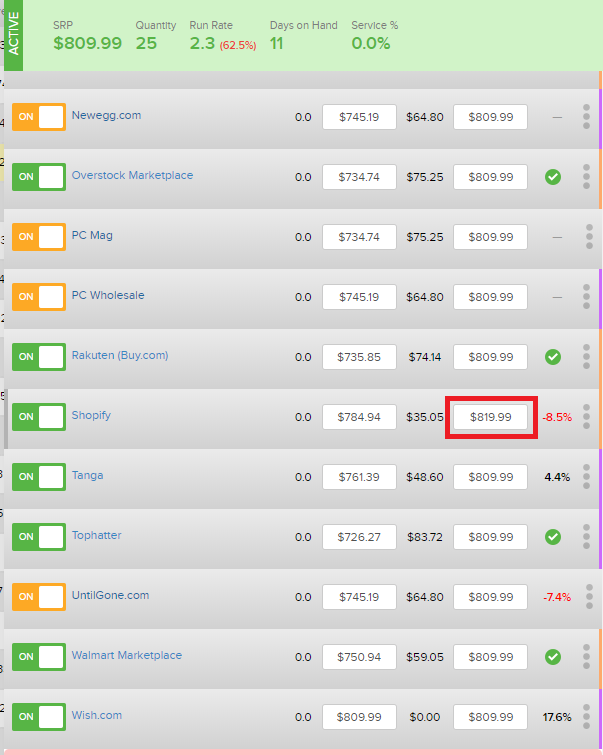
If you wish to override the price, simply update the SRP to your desired sales price.
Automated Price Changes
If you have opted into Automated price changes, anytime your cost changes from a supplier Quipt will automatically recalculate the SRP using the established category commissions referenced above. While this is standard practice to prevent losses on transactions should your cost increase for a product, the unintended consequences are changing your SRP for an item that is being promoted at a specific price point.
To view/edit your automated pricing logic, access your partner settings using the steps reference above.
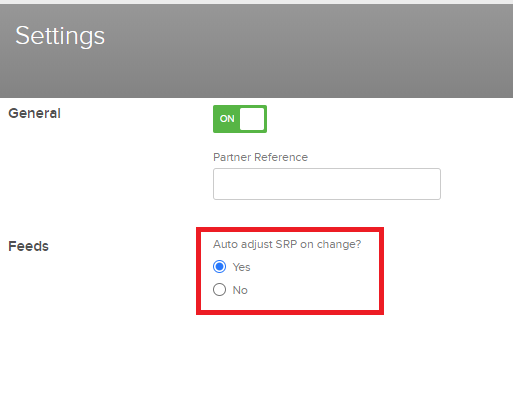
By selecting "Yes" for Auto adjust SRP on change, your sales price will dynamically change based on the cost from the supplier. If you have overriden an SRP it will stay in place as long as your cost is not changed by the supplier, otherwise it will be lowered/raised in correlation to your new cost.
By selecting "No", your SRP will remain constant regardless of the cost being fed to you by your supplier
Pricing Notifications
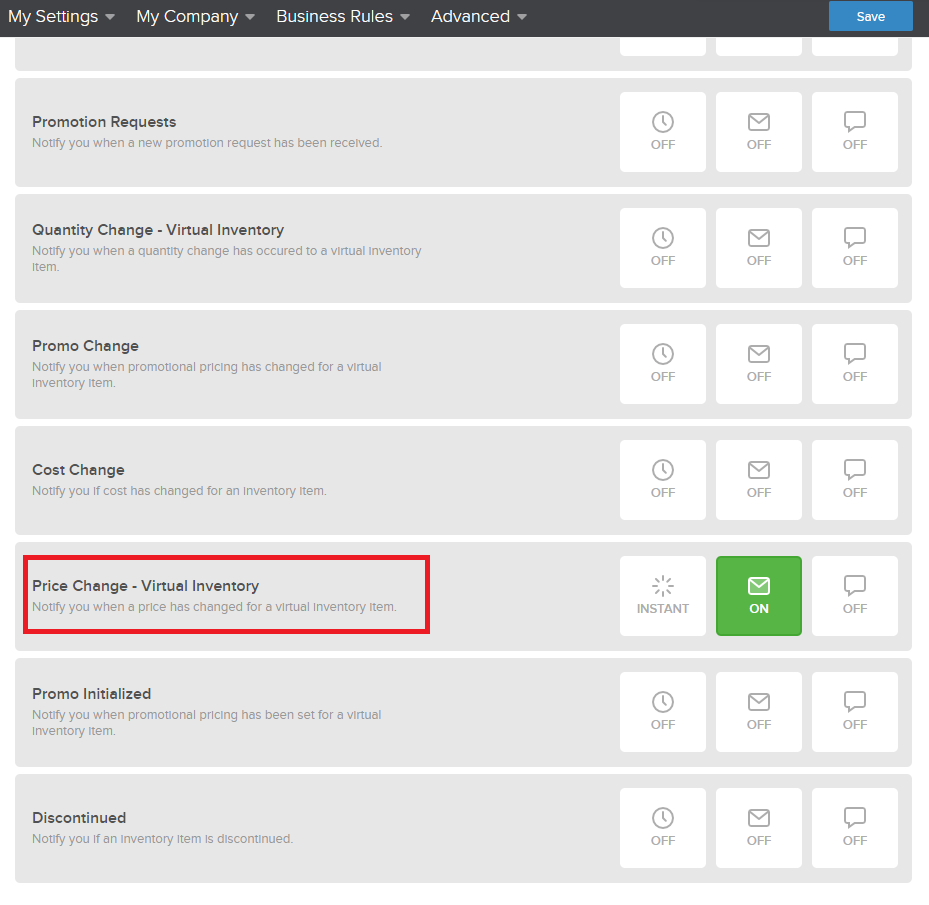
Regardless of your selection for pricing automation, it is good practice to subscribe to cost change notifications in your user settings. You can tailor these to be sent in real time, or batch them into daily/weekly digests. Using these notifications can help avoid pricing confusion if you have set a specific price for a product that has been changed once a supplier has lowered your cost.
Comments
0 comments
Please sign in to leave a comment.