Index
Navigation
To see your shipping settings, you need to go to ‘Company Settings’, which is located in the drop-down found in the upper right-hand corner of the app.

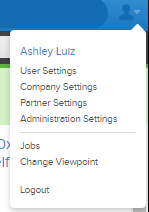
Below is an example of what the Company Settings page will look like for you. As you scroll down, you will be able to find the warehouse you want to edit and then click 'Edit Location'.
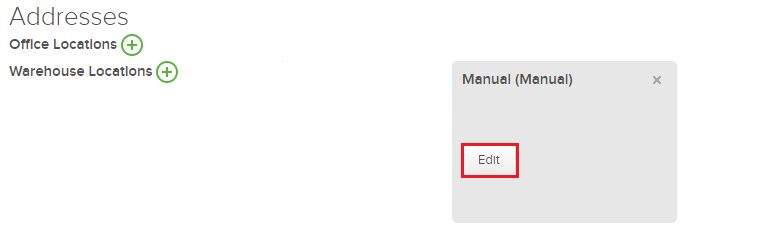
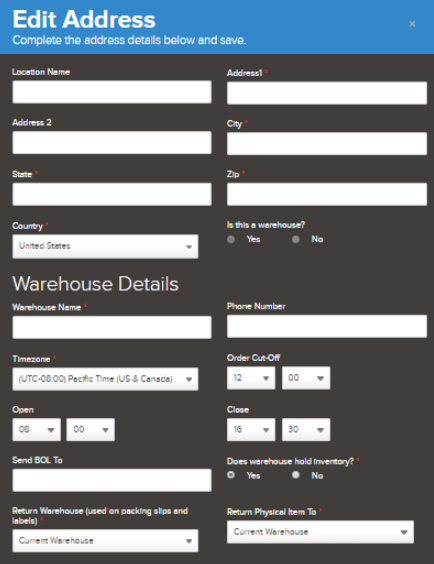
Address
The first part of the Address settings contains information about the address of that warehouse.
Label Automation
The next part of the Address settings contains your shipping settings. Here you can make changes to automate shipping label generation an more. This is what it looks like:
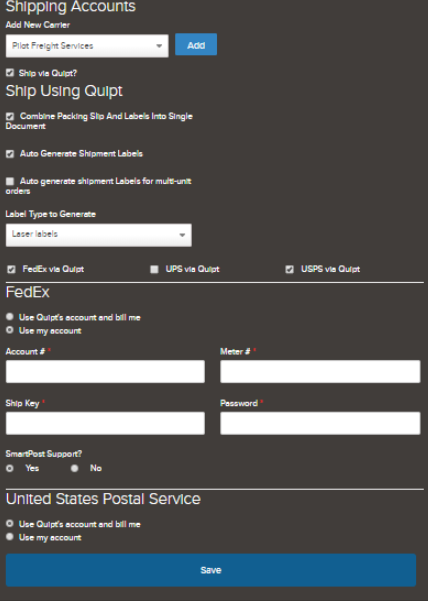
You can make various changes, such as choosing to generate your own labels, or using FedEx, UPS or USPS to ship via Quipt.

Syncing Shipping Accounts
To choose to ship via Quipt for any of the three channels, simply check or uncheck the boxes. When you use multiple shipping methods, Quipt automatically shops the cheapest shipping methods and will generate the most economic label for orders.
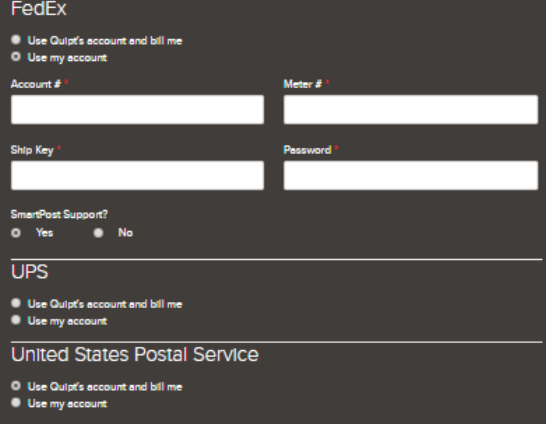
You will then have the option to decide whether to use your own account or Quipt’s account. If you decide to use Quipt’s account, you will be billed for the shipping costs. If you want to use your own account, you will need to fill in the pertinent information so that we can access your account(s). Remember to hit Save when you are done updating any information!
Comments
0 comments
Please sign in to leave a comment.