If you want to pay vendors within a specific time frame please follow this tutorial. For this tutorial we will be assuming that accounts payable is run weekly. These same principles would be used if you pay your vendors every other week or bi-monthly etc.
Within this example, assume accounts payable runs checks/ach's every Monday. Payments are made to vendors who have any amounts due as of the previous Friday. Monday morning log into Quipt and click on the "Accounting" tab within the left app bar. Once the accounting tables load, click on the drop down list in the upper left portion of the screen and choose the "Payables" option.
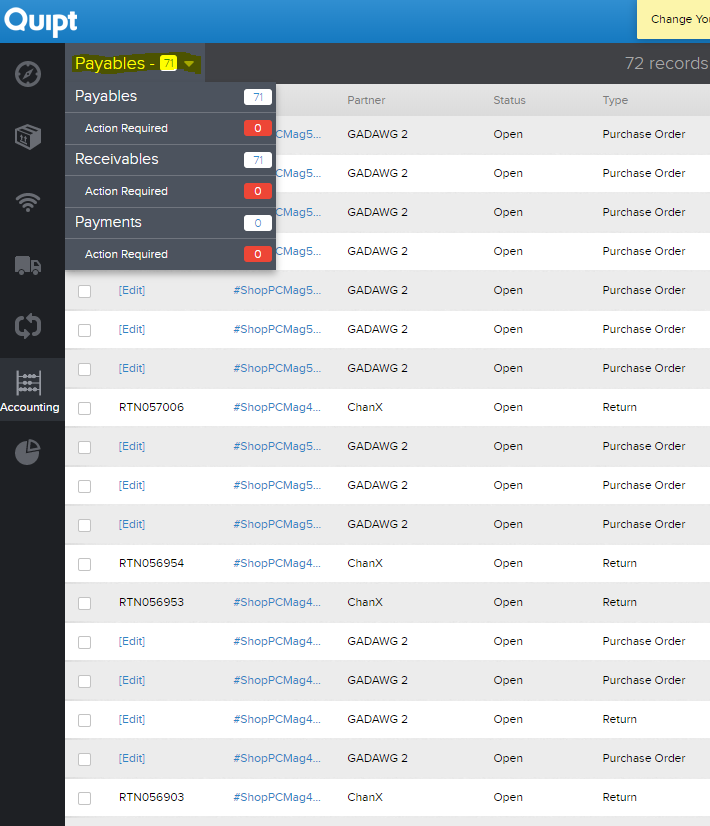
This will provide a list of orders and return credits due to all companies you do business with. You will now need to filter the results to get an accurate payable amount. Click on the green "filters" box in the upper right portion of the screen. You will want to enter dates into the "Due Date" fields. Be sure to enter a start date and end date so that you don't overlap and duplicate a payment. In this example, you will enter the Saturday from 9 days ago and the Friday from 3 days ago.
After entering dates you can choose to filter even further by "Partner" if you have more than one company you work with.
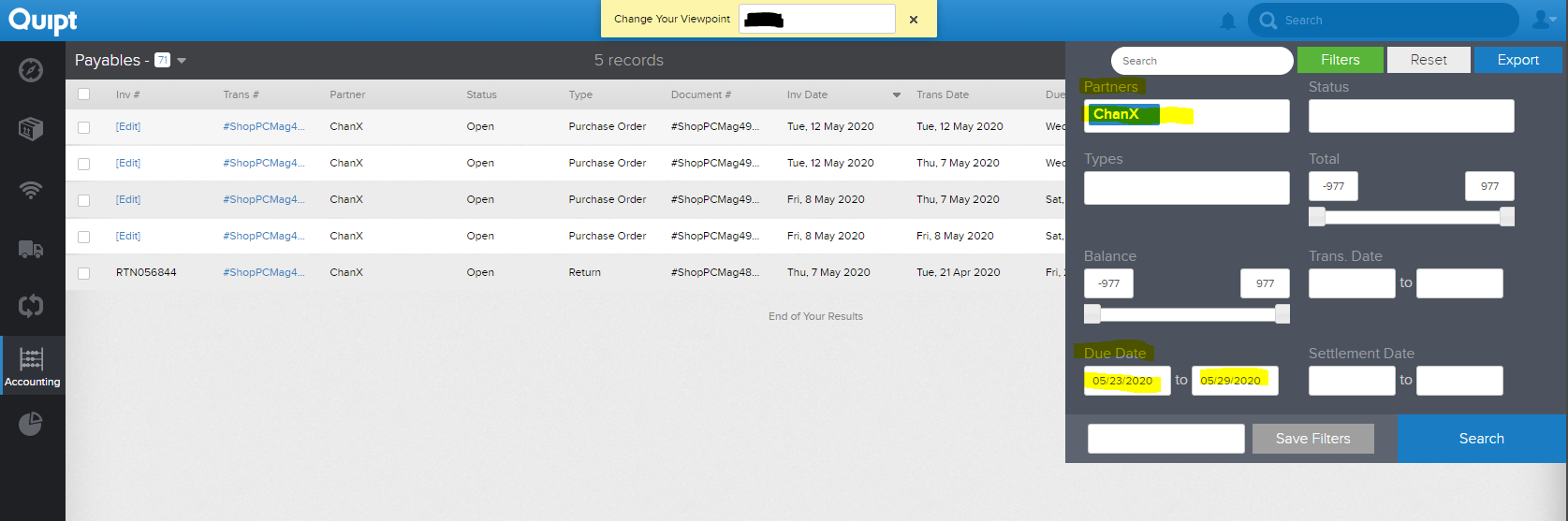
Now that you have an accurate list, you can click on the blue "Export" button in the upper right portion of the screen. This will download all entries from this list to a spreadsheet that can be subtotaled for an accurate total to be paid.
Comments
0 comments
Please sign in to leave a comment.