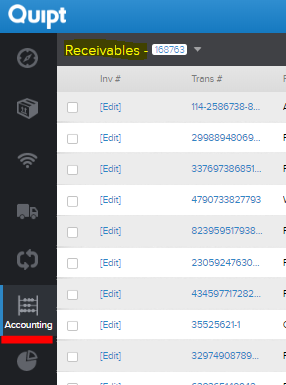
If you want to enter an invoice, you first need to find the order information on the accounts receivable page in Quipt. Once in the accounting tab, search for the order using the search bar in the upper right hand corner. Simply enter the purchase order and hit enter.
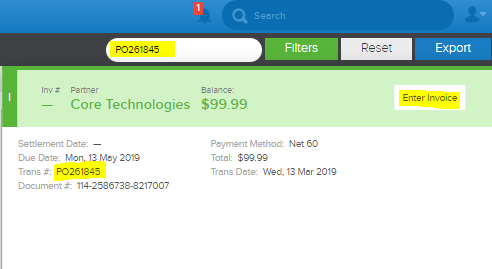
Once you click on the result brought up from the search bar, you will see the following screen. In the upper right hand corner of the screen, you will see the option to 'Enter Invoice'.
If you click on the 'Enter Invoice' screen, you will then be asked to enter the details for the invoice transaction and then hit 'Save'.
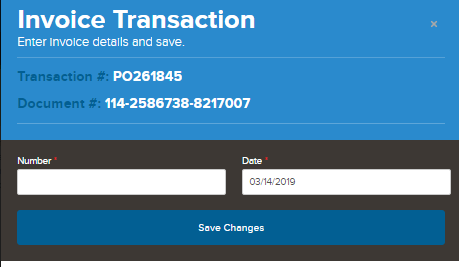
Make sure you do in fact hit save, otherwise all of your work will be lost.
Comments
0 comments
Please sign in to leave a comment.